Widget not showing up? A troubleshooting checklist
The chat widget installed fine but nothing appears on your site. Work through these checks in order — one of them is almost always it.
You installed the widget, the dashboard says everything's fine, and your site shows… nothing. Annoying, but almost always one of a short list of causes. Work through these in order — they're sorted by how often each one turns out to be the answer.
First: rule out your own cache
Before changing anything, open your site in a private/incognito window, or on your phone using mobile data. If the widget appears there, nothing is broken — you were looking at a cached copy of your page. Purge your caching plugin (and CDN, if you use one) and you're done.
Caching and "optimization" plugins
Performance plugins that combine, minify or delay JavaScript are the most common real cause. The widget script is small and loads deferred, but some optimizers move it, strip its attributes, or hold all scripts until first interaction.
- Purge every cache after installing the widget.
- If your optimizer has a "delay JavaScript execution" feature, add the widget script to its exclusion list.
- If nothing changes, temporarily disable the optimizer and reload — if the widget appears, you've found the culprit; re-enable it with the exclusion in place.
Cookie consent blockers
Some consent tools block third-party scripts until the visitor accepts. If your widget only appears after clicking "Accept" on your cookie banner, that's your consent tool classifying it. Most consent plugins let you re-categorise a script as functional so it loads normally.
Is the assistant switched on?
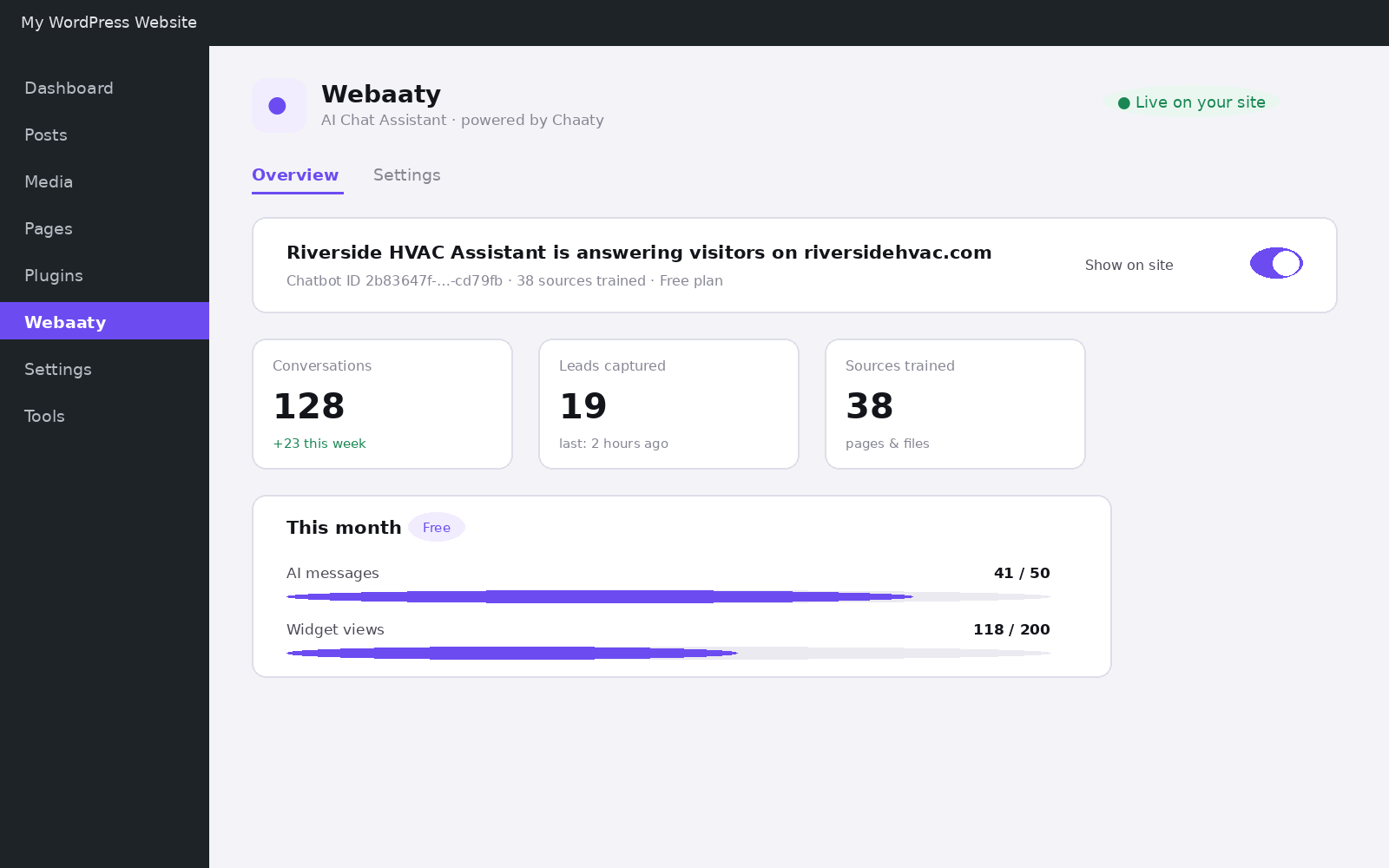
In WordPress, open Webaaty and check the Show on site toggle on the Overview screen. In the Chaaty dashboard, check the assistant itself is active — a paused assistant renders nothing at all, by design.
Page targeting rules
If the widget shows on some pages but not others, that's not a bug — it's targeting. Check two places:
- In Webaaty → Settings, the "Where it appears" section: display mode and any excluded pages.
- In the Chaaty dashboard, your display settings: device rules and page rules both apply.
Remember that rules combine: hidden on /checkout in WordPress and mobile-only in Chaaty means desktop visitors never see it anywhere.
Wrong or missing Chatbot ID
If you embedded manually, view your page source (right-click → View Page Source) and search for data-chatbot-id. No result means the script isn't in the page — re-add it. If it's there, confirm the ID matches the one in your dashboard's embed code exactly. A truncated paste fails silently.
Still nothing?
Open your browser's console (F12 → Console) and reload. A red error mentioning the widget script, or a blocked request to chaaty.io, tells us exactly what's wrong — screenshot it and send it over. That one screenshot usually turns a mystery into a one-reply fix.
Still stuck?
Tell us what's happening and we'll take a look — most setup issues are sorted in one reply.