Why is my chatbot giving wrong answers?
Wrong answers always have a traceable cause — stale scans, missing knowledge, or conflicting sources. Here's how to find and fix each one.
A wrong answer feels random, but it never is — the assistant answers from its training sources, so a bad answer points at a specific, fixable cause. Work through these in order.
First, reproduce it
Ask the exact question again in the widget or preview. Note the wording — small phrasing differences can pull different knowledge, and you'll want the real customer phrasing for the fix.
Cause 1: the knowledge is stale
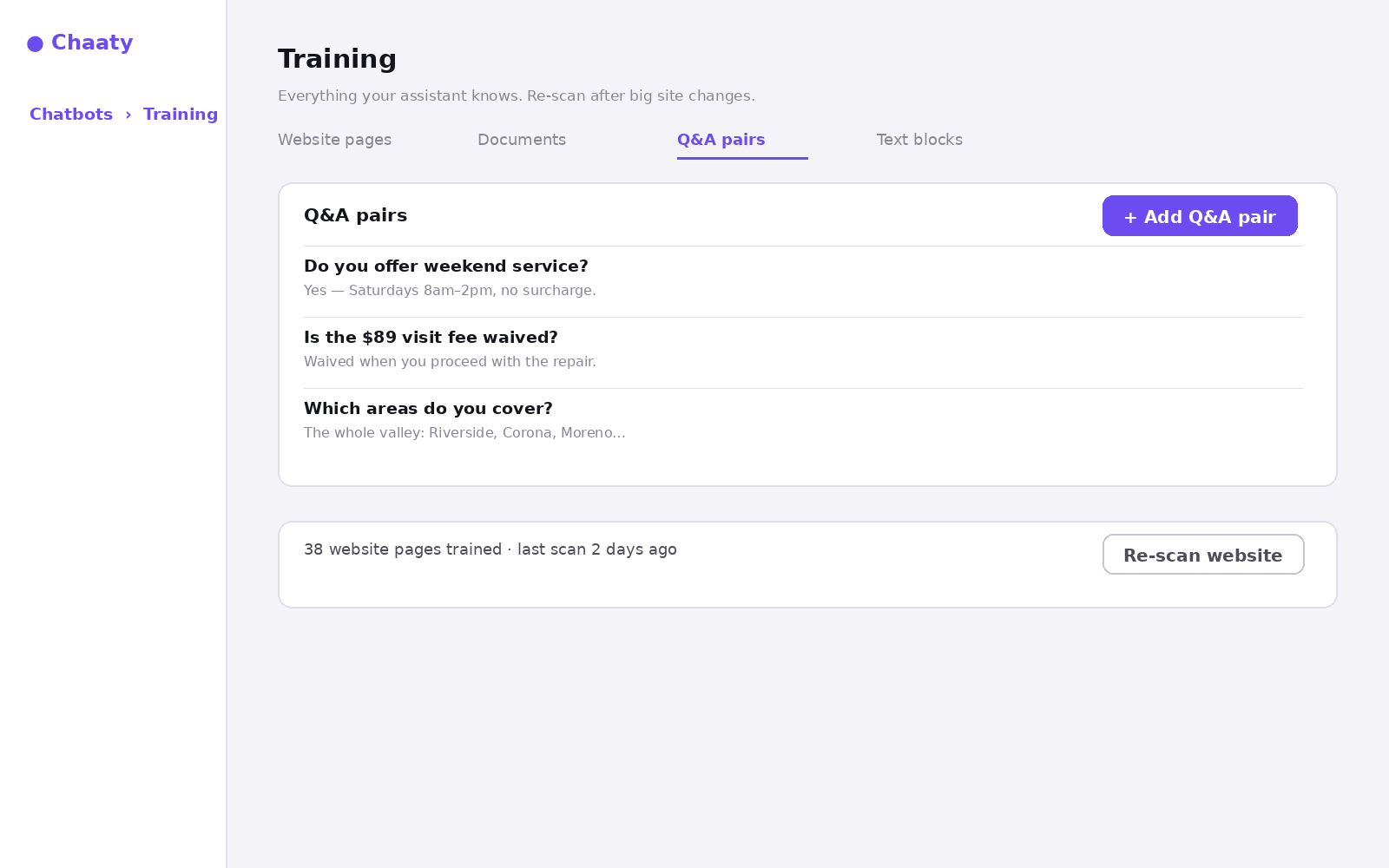
If the answer used to be right — old prices, discontinued services, last year's hours — your site changed after the last scan. Open Training → Website pages and re-scan.
Cause 2: the knowledge doesn't exist
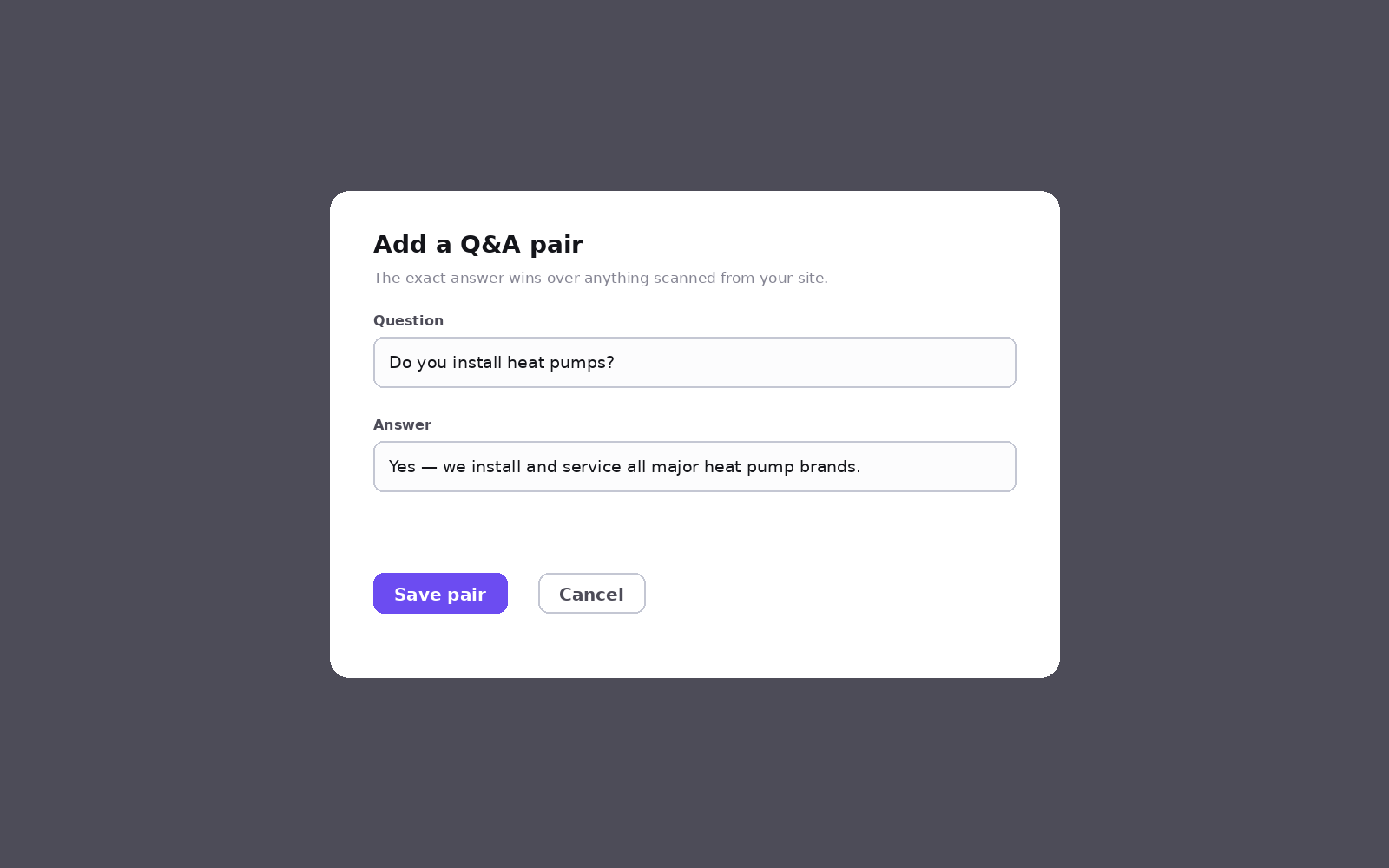
If your site never states the answer, the assistant is doing its best from context — and its best guess isn't good enough for prices, policies, or promises. The fix is a Q&A pair with the customer's phrasing and your exact answer:
Cause 3: sources disagree
If your pricing page says one thing and an old blog post says another, the assistant has to choose. A Q&A pair settles it instantly; longer-term, fix the contradiction on the site and re-scan.
Cause 4: it's answering outside its lane
If it's speculating on things you'd rather it didn't touch — legal advice, competitor comparisons, promises about timelines — tighten its conversation rules and tone in the assistant's settings so it deflects to a human instead.
Still can't trace it?
Copy the conversation (dashboard → Conversations) and send it to us — seeing the exact exchange plus your training sources usually makes the cause obvious in one look.
Still stuck?
Tell us what's happening and we'll take a look — most setup issues are sorted in one reply.