Greeting cards and launcher messages that get clicks
The teaser next to your closed widget is your chat's headline. What to write, when it should appear, and the quick-reply buttons that start conversations.
2 min readUpdated 2026-09-03
Most visitors never click a bare chat bubble. The greeting card — the small teaser that appears beside the closed launcher — is what turns the widget from furniture into a conversation starter. It's also the most under-configured setting on most sites.
What a good card looks like
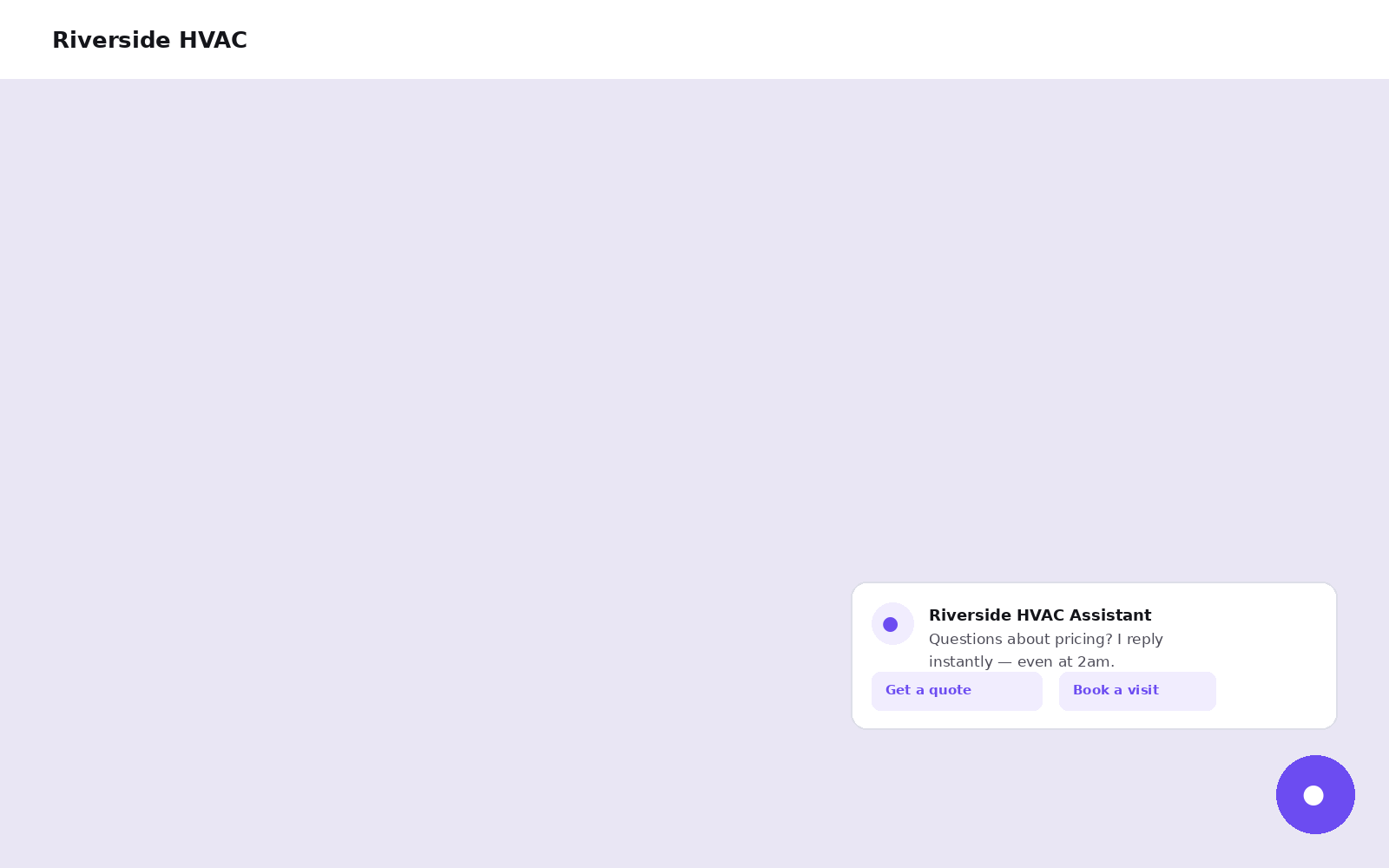
Three parts do the work:
- The message — one specific line. "Questions about pricing? I reply instantly — even at 2am" outperforms "Hi there! 👋 How can I help?" because it names a reason to click and a reason to believe.
- Quick replies — two or three buttons for your highest-value intents: "Get a quote", "Book a visit". One tap drops the visitor into a conversation that's already going somewhere.
- Timing — cards convert best when they arrive rather than sit there. Pair with a short delay or scroll trigger from the display rules so it appears once the visitor is actually reading.
Writing the message
Steal from your own data: whatever visitors ask most is your best hook. A plumber's "Emergency? I can get you a same-day slot" beats anything generic. Keep it under two short lines — the card is a whisper, not a popup.
Try this on your own assistant
Chaaty is free to start — your assistant is built from your website in about a minute.