Setting up lead capture in Chaaty
The five-minute setup — the toggle, the lead question, what to collect, and how to write the ask so visitors say yes.
This is the practical setup for lead capture: where the switches are and what to put in them. For the why and what it looks like to visitors, start with the overview.
Turn it on
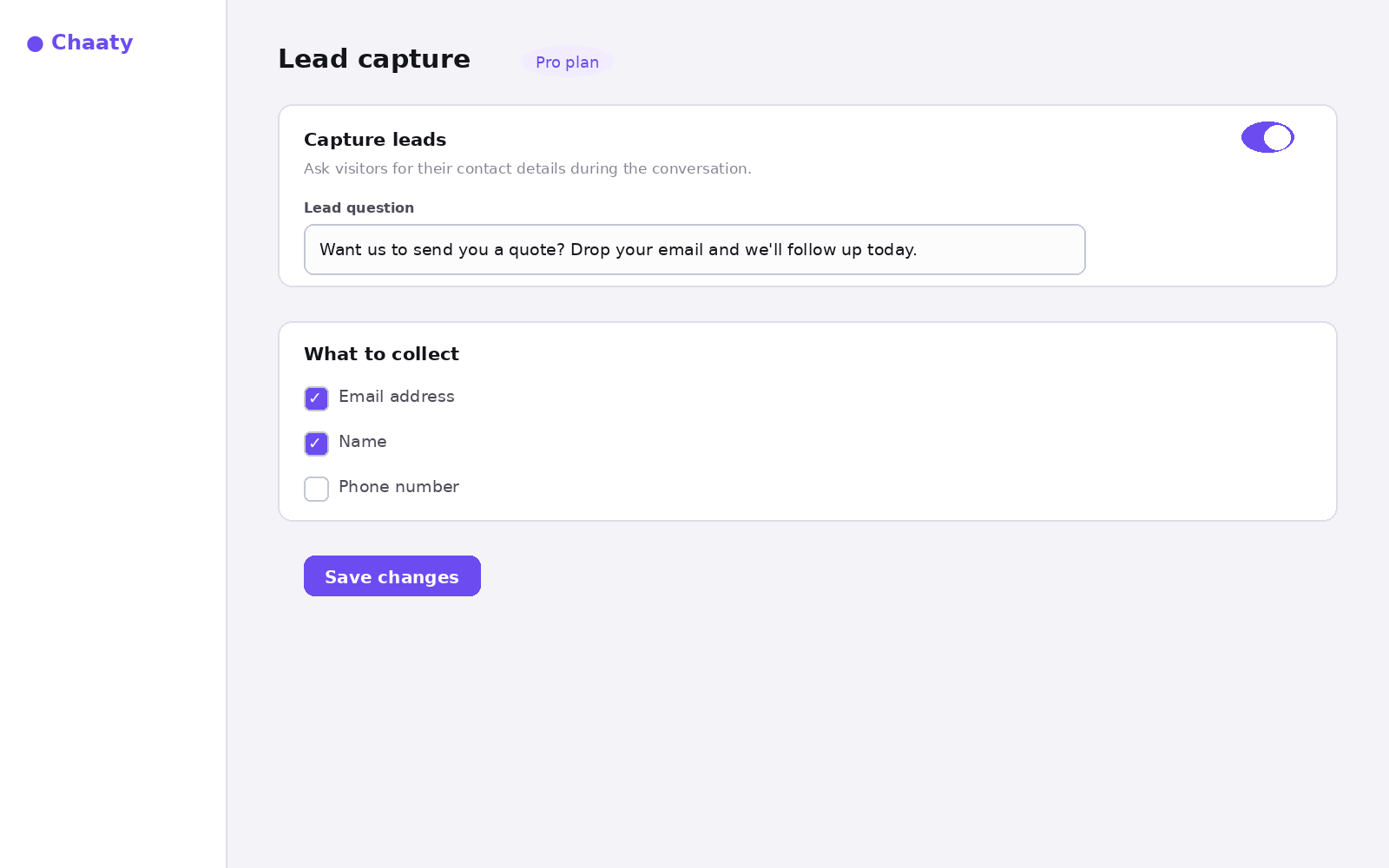
In your dashboard, open your chatbot's Lead capture settings and flip the toggle:
Short on time? Create your free assistant and it does the setup below for you — no card needed.
Write the lead question
This one sentence does the selling. The pattern that works: state the value, then make the ask small.
- Quote follow-up: "Want us to send you a proper quote? Drop your email and we'll follow up today."
- Availability: "Leave your email and we'll confirm the exact slot within the hour."
- Anything else: "Want the details in writing? Pop your email in and we'll send them over."
Avoid "Please provide your contact information" — it reads like a form, and forms are what chat is beating.
Choose what to collect
Email and name is the sweet spot. Every extra field costs conversions; only add phone if you genuinely call leads back same-day.
See it live
Test it yourself: open your site, ask a buying question, and watch the ask arrive:
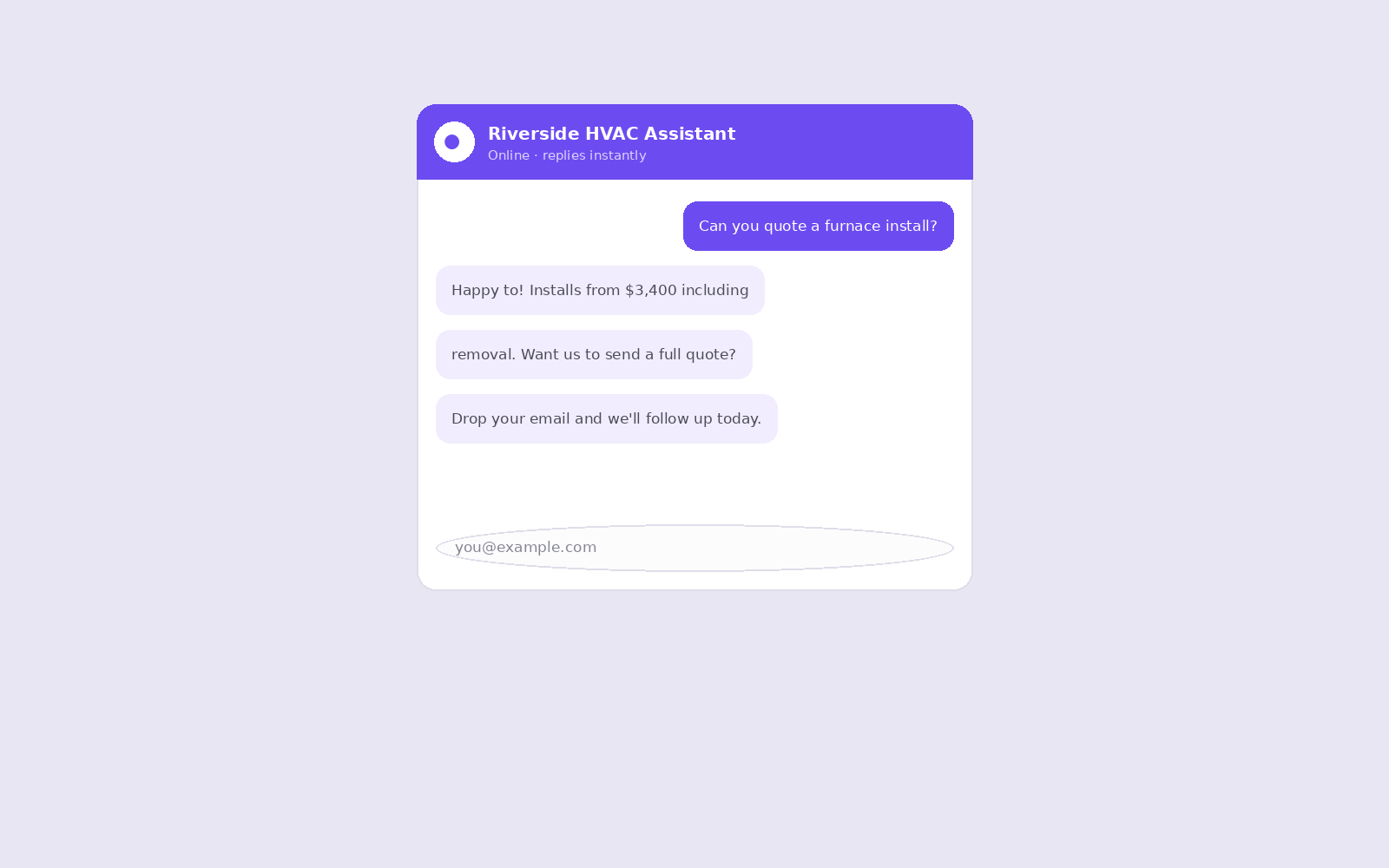
Captured leads appear in Leads with their conversation attached. From there: export CSV, or wire webhooks/Zapier to push each lead straight into your CRM.
Unlock this feature on your assistant
Available on Pro and up. Upgrade in a minute — cancel any time.