Sending chat leads to your CRM with webhooks
Every lead your assistant captures can land in your CRM automatically — signed webhooks on lead, booking and transcript events.
A lead sitting in a dashboard nobody checks is a lead lost. Webhooks push each capture to wherever your follow-up actually happens — your CRM, Slack, a spreadsheet — the moment it occurs.
Set the webhook
In Integrations, paste the URL you want events delivered to and choose which events fire:
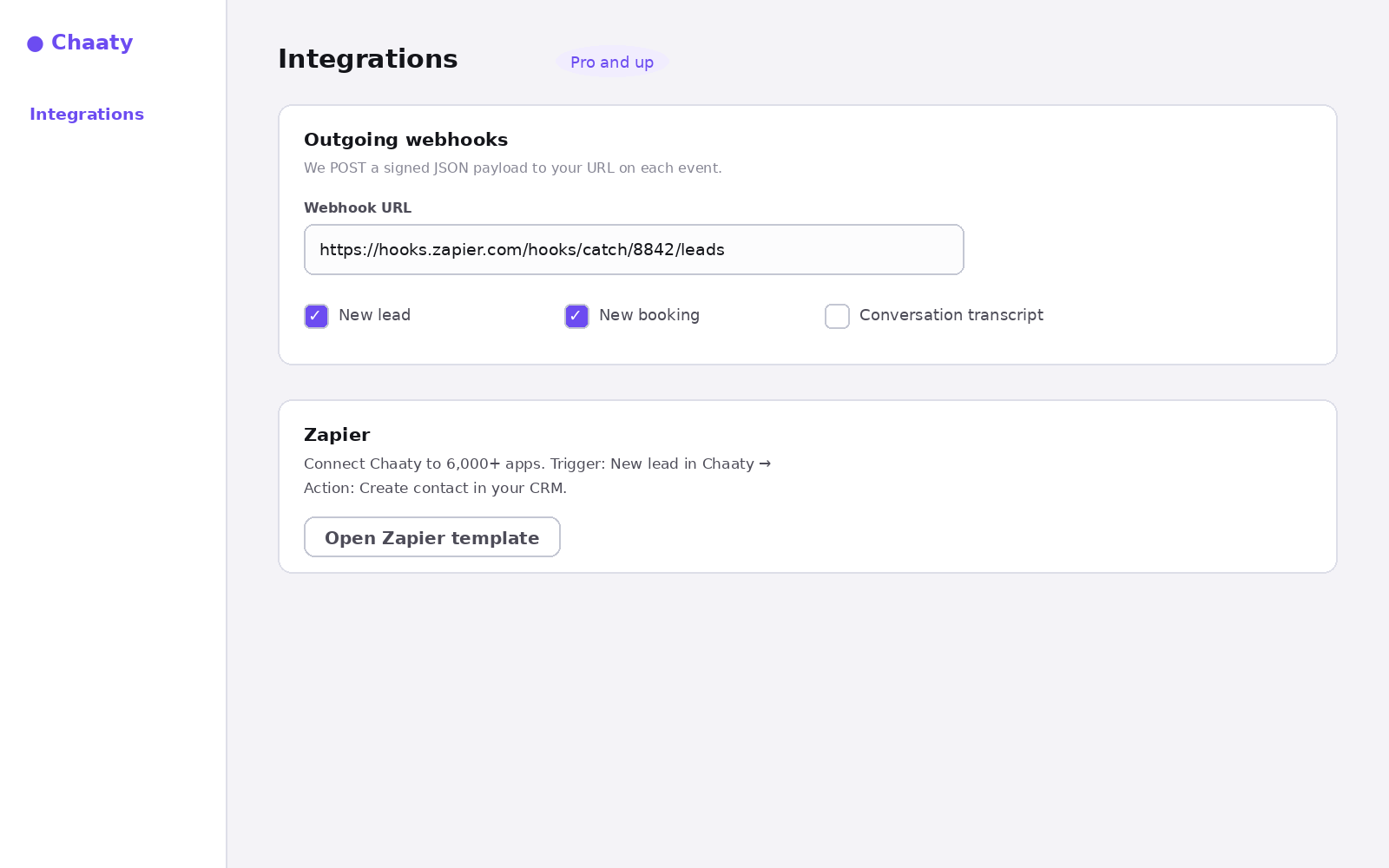
Each event POSTs a JSON payload with the lead's details and the conversation context. Payloads are signed, so your endpoint can verify they genuinely came from Chaaty before trusting them.
Where to point it
- Zapier or Make.com — the no-code path; use their catch-hook URL and map fields visually. Details in the Zapier guide.
- Your CRM's inbound webhook — many CRMs accept webhooks directly.
- Your own endpoint — for custom pipelines; verify the signature, then do whatever your stack needs.
Why this beats CSV exports
Exports are batch and manual; the value of a chat lead decays by the hour. A visitor who asked about pricing at 2pm and gets a call at 2:15pm remembers you — the same call on Thursday is a cold call. The context that ships with each event (which conversation produced it) is what makes that first touch warm.
Unlock this feature on your assistant
Available on Pro and up. Upgrade in a minute — cancel any time.